The command line for the whole software loop.

Vex brings change-based source control, review, agent setup, MCP, deployments, and operational visibility into one Rust-native CLI. Use direct commands for automation and open Dash when the state deserves a visual surface.

One binary / five surfaces

Type the workflow. Open the interface only when you need it.

The CLI is the shared entry point for humans, scripts, and agents. Every surface resolves back to the same Vex and Jujutsu repository model instead of creating a second automation-only workflow.

Vex CLI / command map
vex setup --with-mcp --with-agent-checkpointsSkills · MCP · Agent Context
vex log -r '::@' --limit 4Native change graph
vex dash --infra · vex deploy logs --app my-appServices · deploys · live logs
vex agent-checkpoints doctorProject-local session capture
vex mcp initRepository-aware tools for agents

One binary

Stay in the terminal from first setup to production evidence.

Use text commands for automation, open Dash when state becomes spatial, and expose the same repository model to supported coding agents through MCP.

What ships in the CLI
01

Set up every agent plane

vex setup --with-mcp --with-agent-checkpoints

Review and install Vex Agent Skills, MCP configuration, and project-local Agent Context hooks for supported coding harnesses. Doctor, refresh, and uninstall keep every managed plane inspectable.
02

Work the native change graph

vex status · vex log · vex describe · vex submit

Read the working copy and its graph, describe the current durable change, then submit it for hosted review without inventing a branch-first workflow.

03

Open Dash and follow live logs

vex dash --infra · vex deploy logs --app my-app

Move from a lazygit-inspired source dashboard to a k9s-style view of hosted apps, services, deployments, and runtime instances, then fetch the live logs for the selected app and service.

04

Carry agent work with the change

vex agent-checkpoints doctor · vex session resume

Inspect project-local lifecycle capture, attach scrubbed checkpoints to exact native commits, and resume locally or continue from a verified sanitized handoff.

05

Give agents repository-aware tools

vex mcp init · vex mcp stdio · vex mcp serve

Configure supported clients with structured repository discovery, status, history, file, diff, change, and controlled mutation tools. Skills teach the workflow; MCP performs the actions.

Running product

Three live surfaces. One CLI.

Move from the local change graph to a keyboard-driven source dashboard and then into hosted services and deployments without changing tools or translating repository identity.

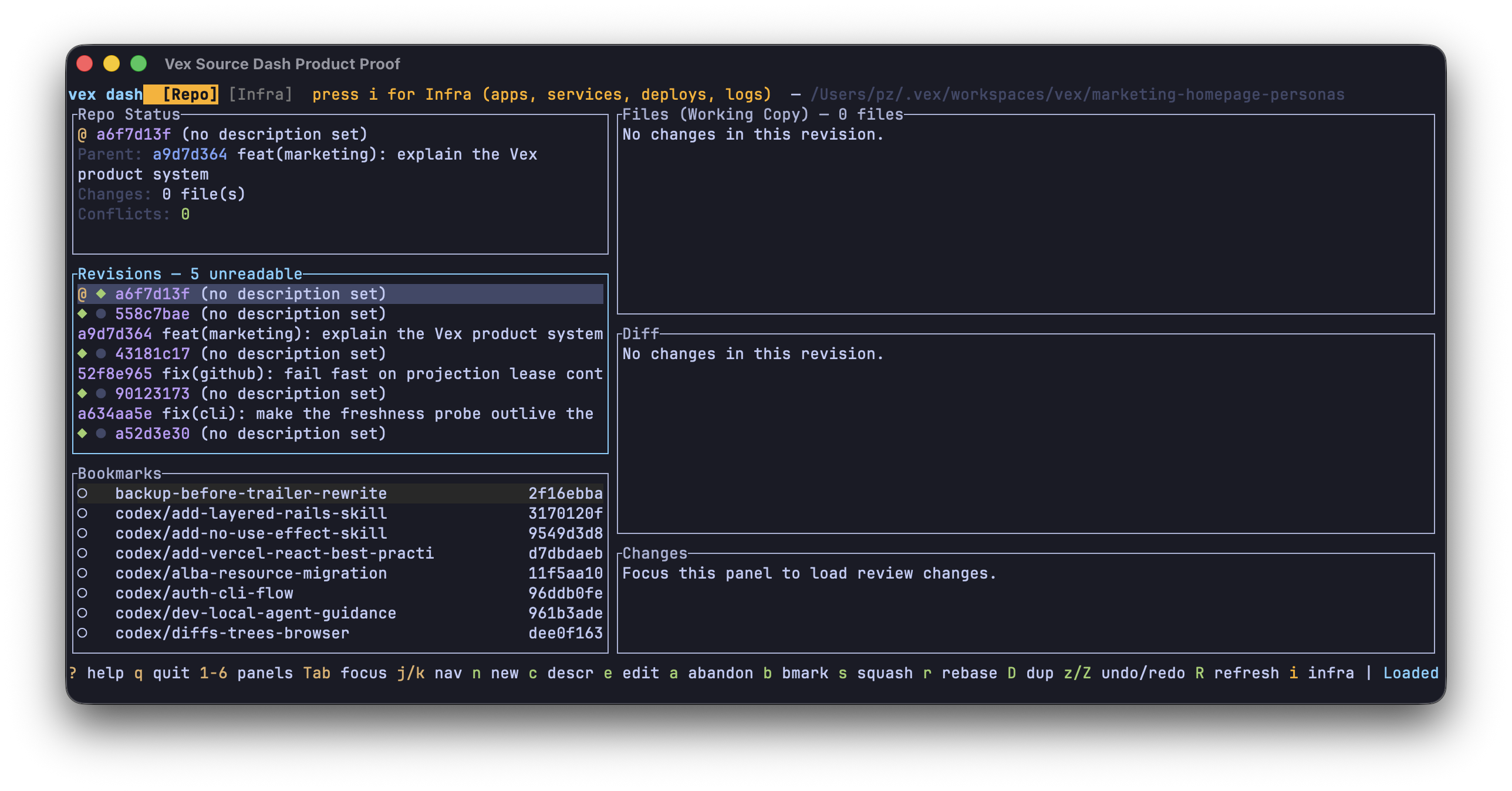
The real Vex Dash Repo view in Ghostty, showing working-copy status, revisions, bookmarks, files, diffs, and hosted Changes in a keyboard-driven terminal interface.

Source dashboard

Dash turns the working copy, revision graph, bookmarks, files, diffs, and hosted Changes into one keyboard-driven source view.

The capture reflects this Vex working copy at one point in time; it is not a static mockup.

Ghostty · vex dash
Vex organization · 11 Aug 2026

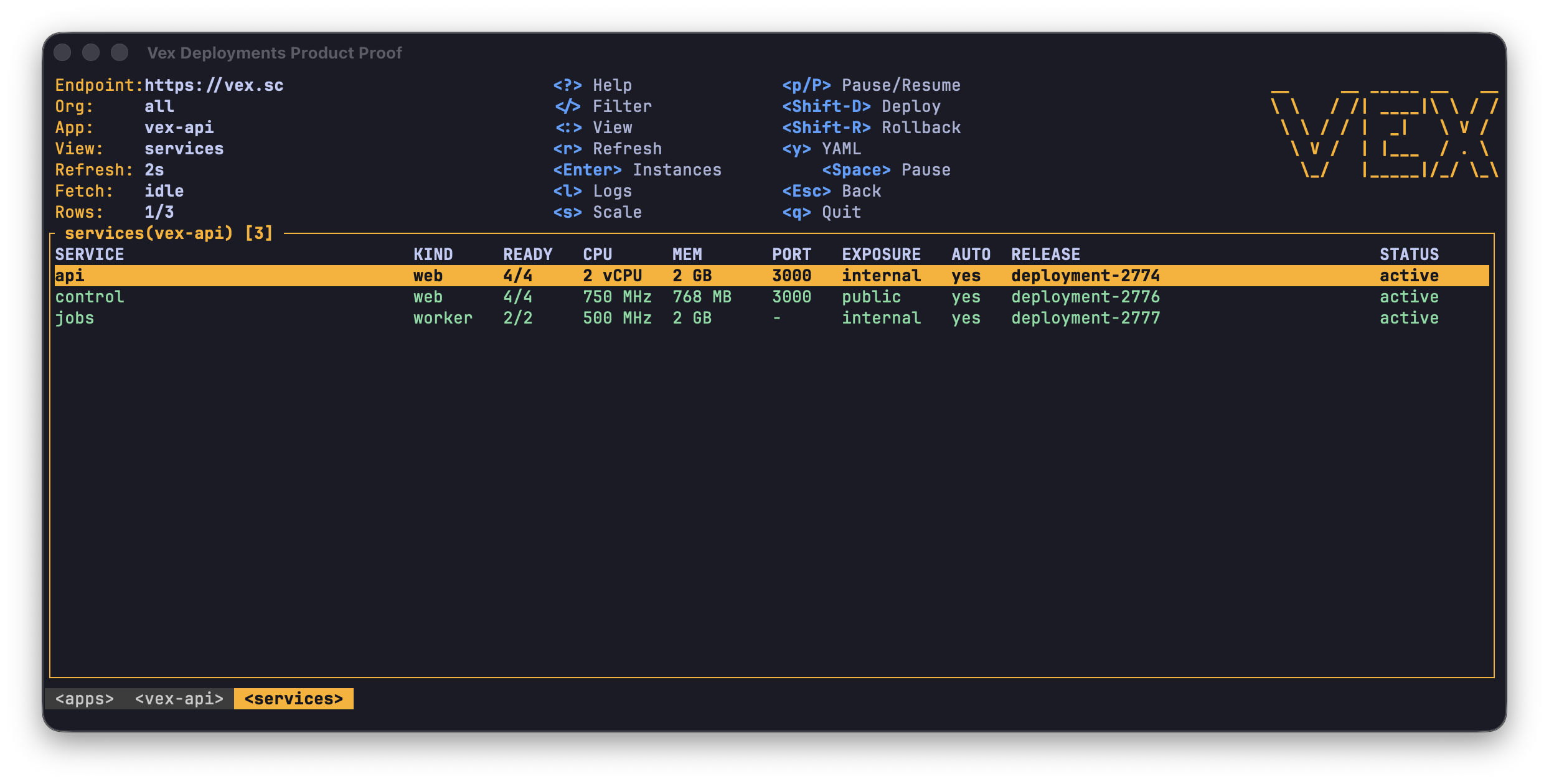
The real Vex Dash services view for the Vex API app in Ghostty, showing three active services with capacity, ports, exposure, releases, and instance counts.

Deployments and services

The Infra view brings services, instance readiness, capacity, exposure, current releases, deploys, rollback, and logs into the same terminal dashboard.

This is a live operator view captured from the Vex API app, not a guarantee of future service state.

Ghostty · vex dash --app vex-api
Vex organization · 11 Aug 2026

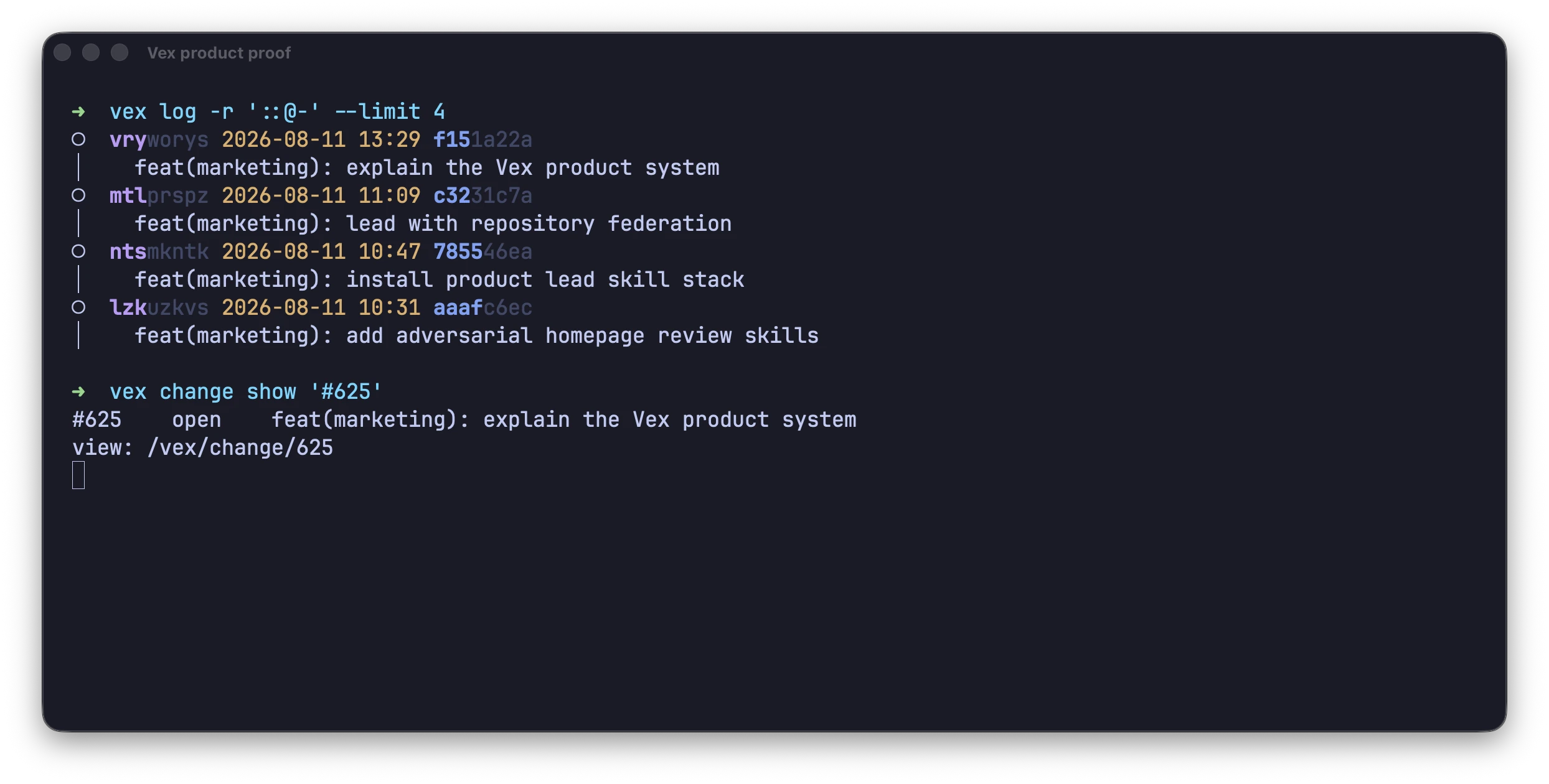
A full-colour Ghostty window running vex log for four related changes and vex change show for hosted Change 625.

Vex in Ghostty

Local graph navigation and hosted Change inspection live in the same command surface.

The capture demonstrates source and Change identity, not every CLI command listed above.

vex log + vex change show '#625'
Vex organization · 11 Aug 2026

Start with proof

Put Vex in the terminal your team and agents already use.